Shoot
Tap an empty slot. The camera opens and your photo drops straight into place.
 EffortlessShot
Visual records, made as you work
EffortlessShot arranges photos and screenshots in a grid, with a note for each one. Make a photo menu or a set of work instructions on your phone, then hand it over as a PDF.
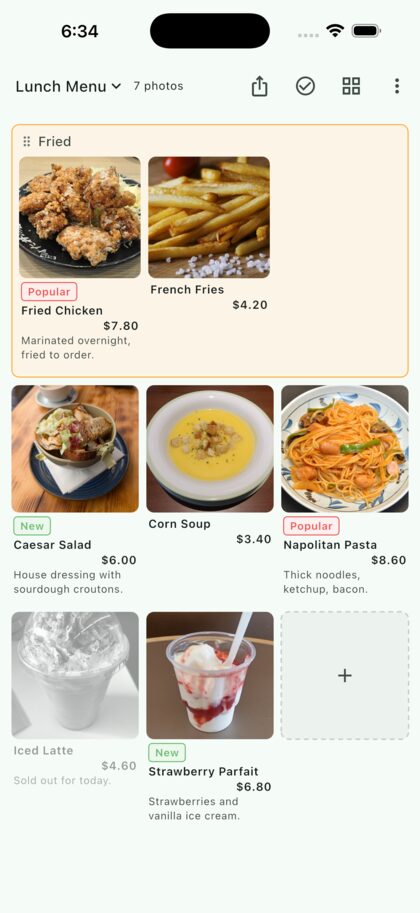
A photo menu
It takes shape as you shoot.
3 steps
Tap an empty slot. The camera opens and your photo drops straight into place.
Drag photos into order, then add a title, a short field and a description.
Export the grid as you see it, ready to print, email or send in a message.
Use cases
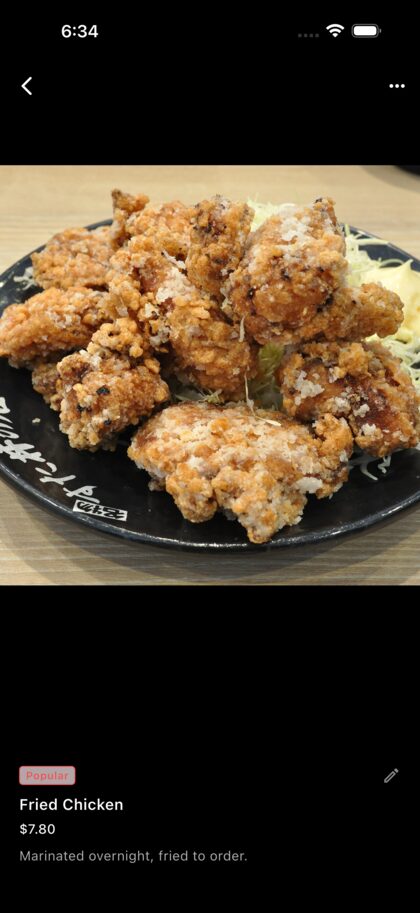
Add a name and price to each dish. Mark sold-out items without deleting them.
See how to make one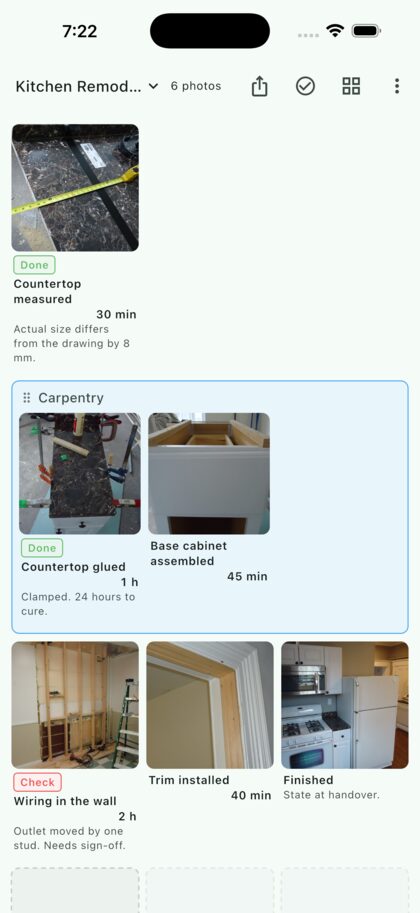
Photograph each step while you work. By the time the job is done, the guide nearly is too.
See how to make one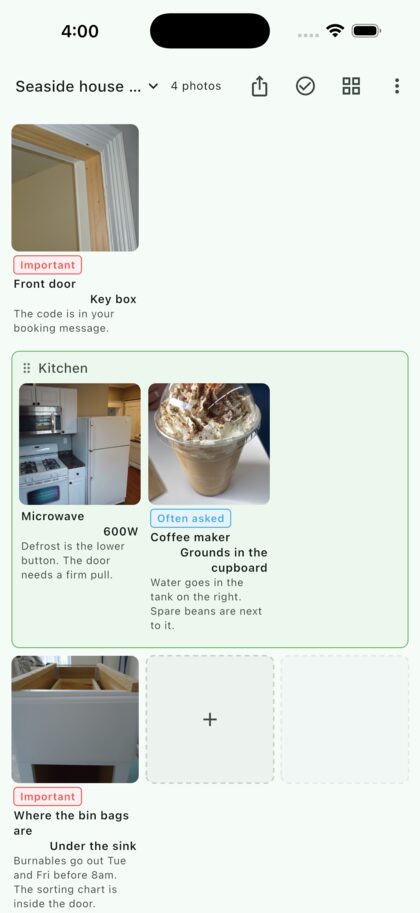
Show the Wi-Fi, appliances and bins in pictures, and answer fewer repeat questions.
See how to make oneMade for the job
Captions, named groups, labels, screenshot import, and grids of two to five columns. Spend your time recording the work, not formatting it.
Simple pricing
No subscription. Shooting, arranging, captions and PDF sharing are included in the free version.
Free
¥0
Premium
¥980 one time
Private by design
No account is required and the developer runs no server of its own. Photos, captions and folder names stay on your device. Shooting, viewing and organising all work in airplane mode.
The app sends limited usage and crash data to improve the product, and the free Android version uses data needed to serve ads. Neither includes your photos or the text you entered. Usage data and crash reports can be turned off separately.
EffortlessShot
Available on the App Store and Google Play.